

TechRadar Verdict
There is definitely a certain look and style about the latest range of slimline lightweight 14-inch laptops, and once again, with the CoreBook Air, you get a decent mid-range CPU with integrated GPU, which has been proven to power through everyday tasks as well as light multimedia editing and gaming, as long as you don’t push it too hard.
Check Amazon Singapore Pros- +
Decent 16:10 display
- +
Lightweight at just over 1KG
- +
Powerful Ryzen CPU
- -
No RAM upgrade options
- -
Trackpad lacks tactile precision
- -
Speakers and webcam are average
- Best business laptop of 2026
- The best Windows laptop 2026
- Best laptop for architecture students in 2025
Why you can trust TechRadar We spend hours testing every product or service we review, so you can be sure you're buying the best. Find out more about how we test.
Jump to:- 30-second review
- Price and availability
- Specs
- Design
- Features
- Performance
- Final verdict
- Should you buy it?
Chuwi CoreBook Air: 30-second review
There’s something slightly familiar about the Chuwi CoreBook Air. Once again, it follows the recent trend of 14-inch Windows laptops offering a premium build with aluminium alloy casing and a solid yet lightweight build. The specification list considering the price is also impressive, with more on offer than you would usually anticipate for a little under £500/$500.
From the outset, there are several features that really appeal. Obviously, the CPU, GPU and memory specifications all prove more than enough to run all productivity apps, but then there’s a good volume of ports. Through the test for normal use, a bit of word processing and browsing the internet, the battery was sufficient for a day's worth of work.While the specifications hit the mid-range, making it ideal for most office-based tasks, I found that the CoreBook Air had enough to run Blender and CapCut without issue. Although limitations to the ability were pushed with Indiana Jones and the Great Circle, which did load but was just too jittery to play with any success.
For general use, such as Excel and PowerPoint, the machine was more than capable of handling large documents. What really impressed me was that, despite it only being a 14-inch machine and not a particularly expensive one, the screen clarity was exceptionally good, and the screen surface was able to limit reflections exceptionally well.
One of the other aspects you often find with a cheaper laptop is that it uses a proprietary power supply. However, here, the laptop is supplied with a 65W USB-C charger, which means if you do leave your charger at home, you can more than likely borrow somebody else's. Again, for a laptop of this size to have three USB-C ports, two on one side, one on the other, and a full-size HDMI just gives you even more connectivity options, as well as the ability to plug into other accessories, devices, systems, and drives.
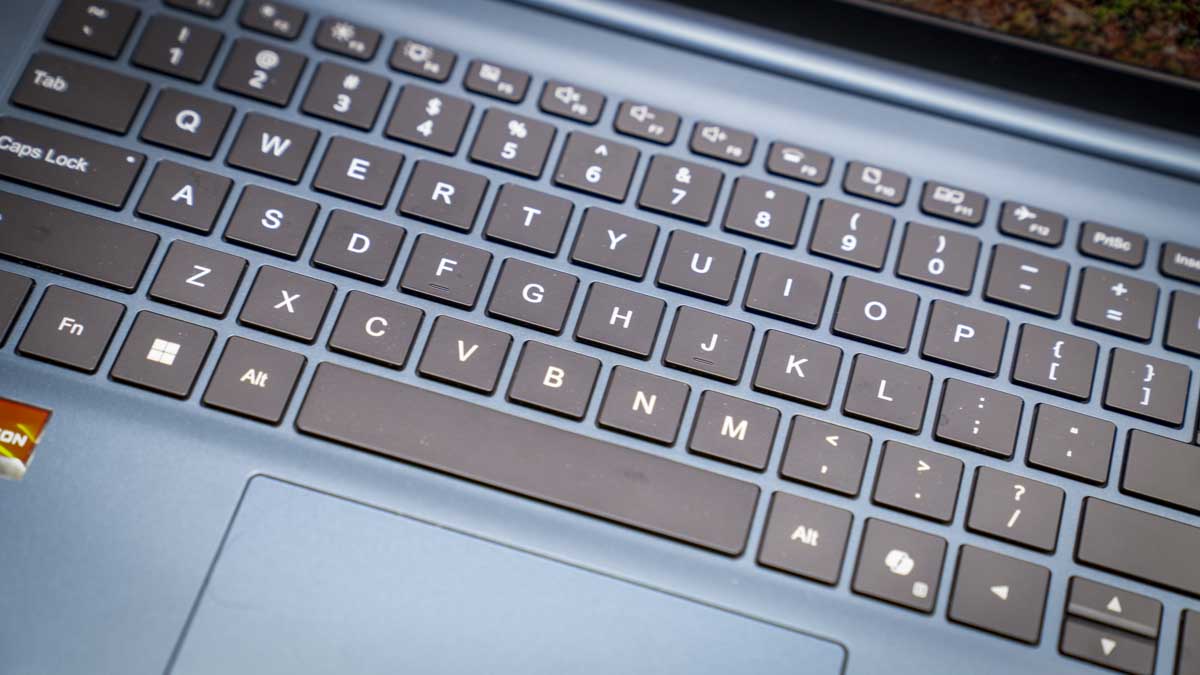
Like some laptops of this type, slim and lightweight, while the quality is exceptionally good and the cooling is better than expected (though the fans do kick in and are audible), the keyboard area and trackpad do feel lightweight and less responsive than I personally like.
Neither the track pad or keyboard feel 100% precise in their mechanics, with the keyboard actuation lacking the satisfying feel of those featured in our guide to the best business laptops. I also found the trackpad wasn’t quite as precise, and you really needed to accurate about your click action in the bottom left. I’d also often mis-click, and the precision that you get with the likes of the ASUS ExpertBook Ultra just isn’t there, but then you could buy four of these laptops for a single unit of that machine, just to put that in context.
However, for a laptop at this price, the fact that it can handle all productivity, web browsing, word processing, light multimedia editing, and a little bit of gaming is impressive. If you’re in the market for a cheap laptop that will see you through the demands of productivity applications for work, and a little bit of media use, as well as downtime playing games and watching multimedia, then this machine should suffice. If you're looking to do heavier media editing or play top-tier games, this might be a little more restrictive, and you’d need to spend a bit more for a bit more power.
Are you a pro? Subscribe to our newsletterContact me with news and offers from other Future brandsReceive email from us on behalf of our trusted partners or sponsorsBy submitting your information you agree to the Terms & Conditions and Privacy Policy and are aged 16 or over.Chuwi CoreBook Air: Price and availability
- How much does it cost? $479 / £404 RRP
- When is it out? Available now
- Where can you get it? Directly from Geekom and Amazon.com
At present, the Chuwi CoreBook Air has a UK price of £404 and a US price of $549 and can be purchased directly from the Chuwi US and Chuwi Global websites.
Chuwi is offering TechRadar Pro readers a 13% discount on the purchase price when you use the code TechRadarAir.
- Value: 4 / 5
Chuwi CoreBook Air: Specs
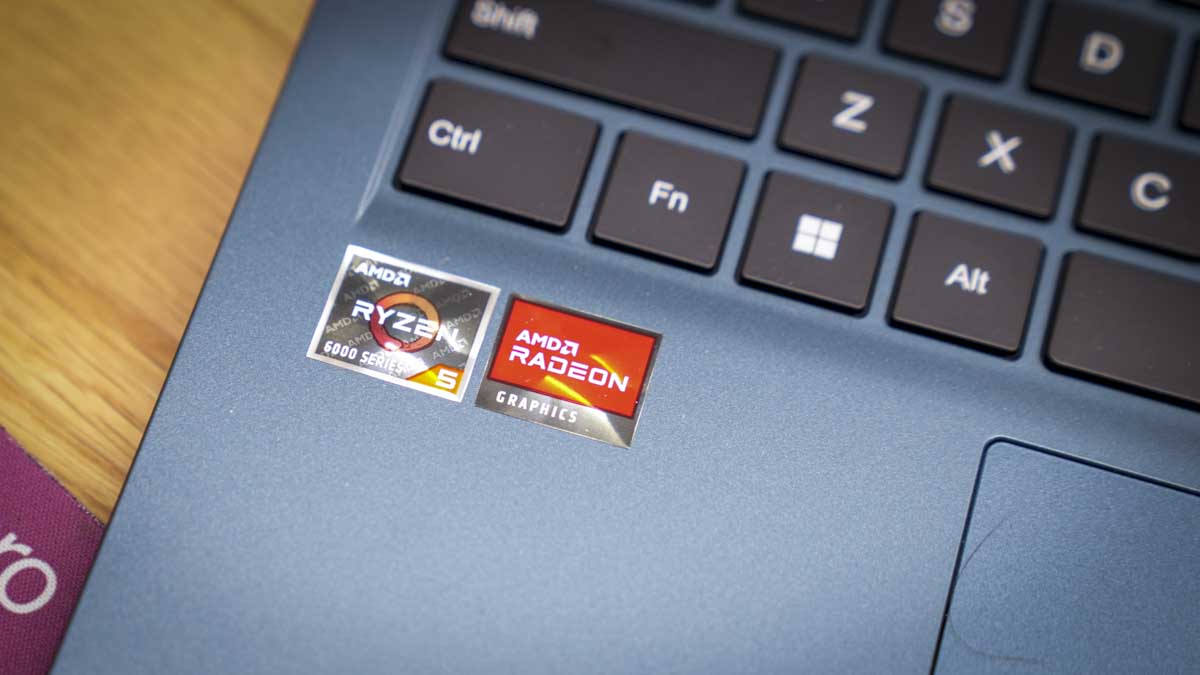
CPU: AMD Ryzen 5 6600H (6-core/12-thread, up to 4.5GHz)Graphics: AMD Radeon 660M RAM: 16GB LPDDR5 6400MHzStorage: 512GB PCIe 3.0 NVMe SSDLeft Ports: 2x USB-C 3.2 Gen 2, HDMI 2.1Right Ports: USB-C, USB 3.2 Gen 1 Type-A, 3.5mm audio jackConnectivity: Wi-Fi , Bluetooth Audio: 2W stereo speakersCamera: 2MP with privacy shutterSize: 298 x 221 x 16.3 mm, 1.08 kgOS Installed: Windows 11 ProAccessories: 65W USB-C PD charger
Chuwi CoreBook Air: Design
The Chuwi CoreBook is a slim, lightweight Windows 11 Pro laptop that has been perfectly designed for portability and mid-range power use, essentially ideal for students, business users, and anyone looking for a home laptop that’s both robust and powerful enough for the entire family. The balance of the CPU and GPU means that it’s great for general use, but if you’re looking for the latest cutting-edge graphics power, then this is a mid-range machine. While powerful, it won’t be able to run some of the more top-tier games or multimedia software, although they will load.
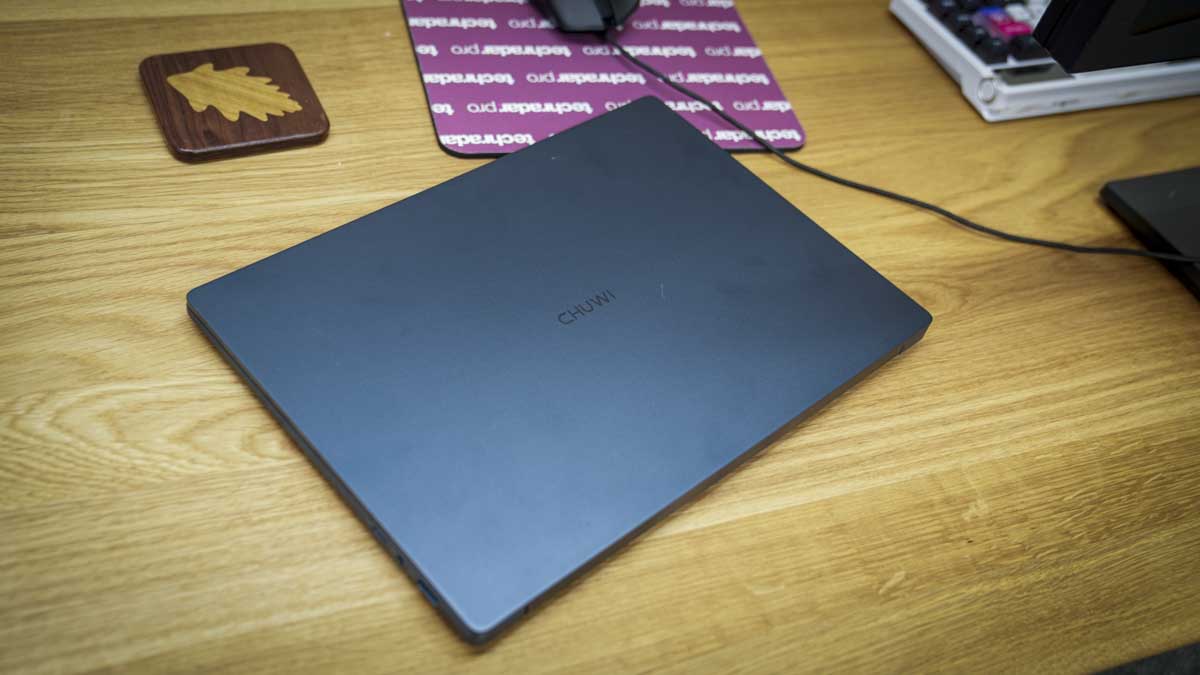
With that in mind, portability is one of its key focuses. At just over 1kg, 1.08 kg, and measuring 298.4 x 221.3 x 16.3 mm, it will fit into almost any backpack or laptop bag without issue. It’s also one of the smallest and lightest laptops out there. The design is very similar in style to the Geekbook X14 Pro, although that had slightly more squared-off corners and a few key differences in the port configurations and, of course, internal workings.
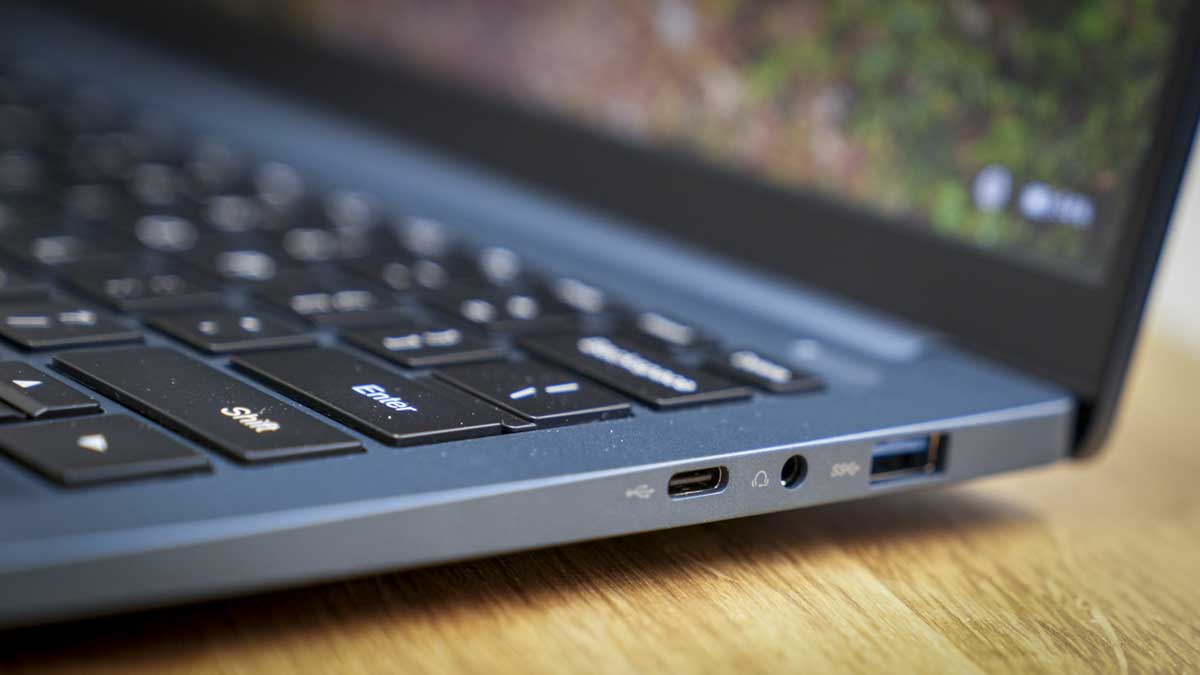
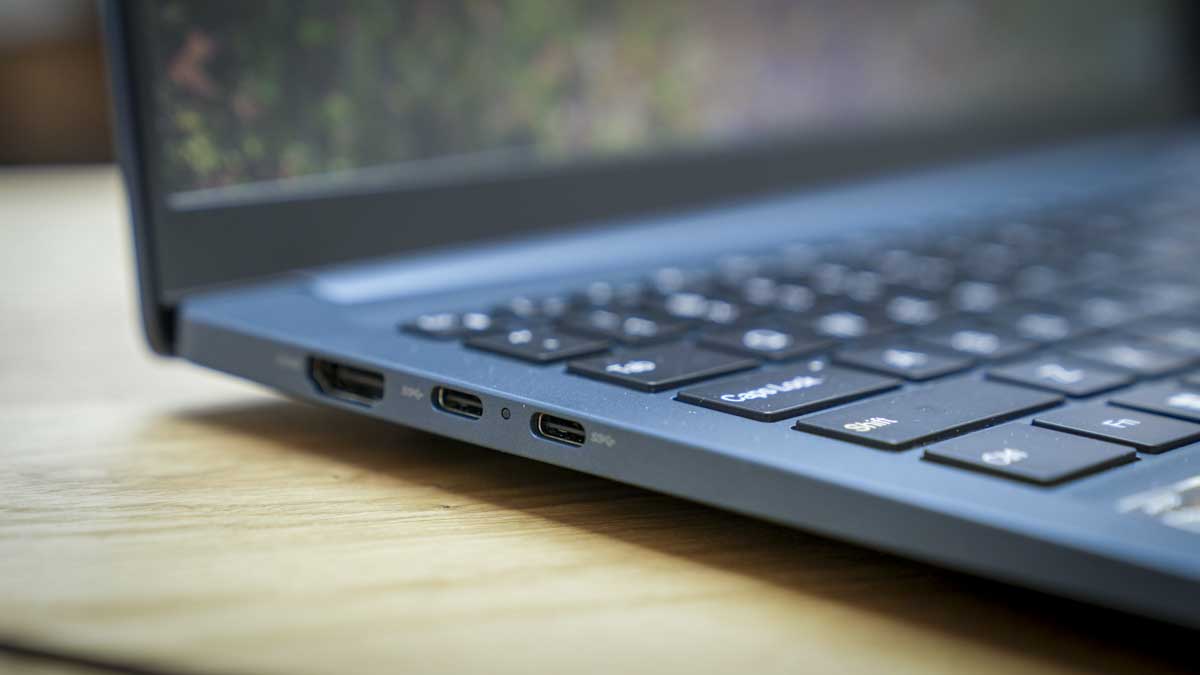
Taking a look around the side of the machine, starting on the left, there’s a full-size HDMI 2.1 TMDS port to easily connect to larger displays or projectors. Next to this are two USB 3.2 Gen 2 Type-C ports, and these are fully featured, perfect for connecting to ultra-fast external SSDs or delivering power to other devices. On the right-hand side is another USB Type-C (data only), a 3.5mm audio jack, and a USB 3.2 Gen 1 Type-A port.
Looking around the body, this is pretty much it for ports and buttons, but up on the top edge of the screen, it’s nice to see there’s a sliding camera privacy cover. It’s mechanical, but this is often the best solution; you know you have absolute privacy once that camera is covered.
On the base of the machine, there’s a huge vent panel, and again on the back with very minimalistic profiling. There’s a good amount of venting between the body of the laptop and the hinge for the screen. As the machine really starts to work, especially when playing games, you can feel the warmth filtering up through the gap between the screen and keyboard. As you open the screen, the hinge feels good and secure, showing little loss for everyday use. The keyboard layout and trackpad are of a decent size.
Looking around the body, this is pretty much it for ports and buttons, but up on the top edge of the screen, it’s nice to see there’s a sliding camera privacy cover. It’s mechanical, but this is often the best solution; you know you have absolute privacy once that camera is covered.
On the base of the machine, there’s a huge vent panel, and again on the back with very minimalistic profiling. There’s a good amount of venting between the body of the laptop and the hinge for the screen. As the machine really starts to work, especially when playing games, you can feel the warmth filtering up through the gap between the screen and keyboard.
When you open the screen, the hinge feels good and secure, showing little loss for everyday use. The keyboard layout and trackpad are of a decent size.
- Design: 4 / 5
Chuwi CoreBook Air: Features
Looking at the feature set, one of the bigger appeals here is just how small and lightweight this laptop is, just a kilogram. It will easily slip into a laptop bag or backpack without adding too much weight, and with its full aluminium alloy casing, it does feel nice and robust.
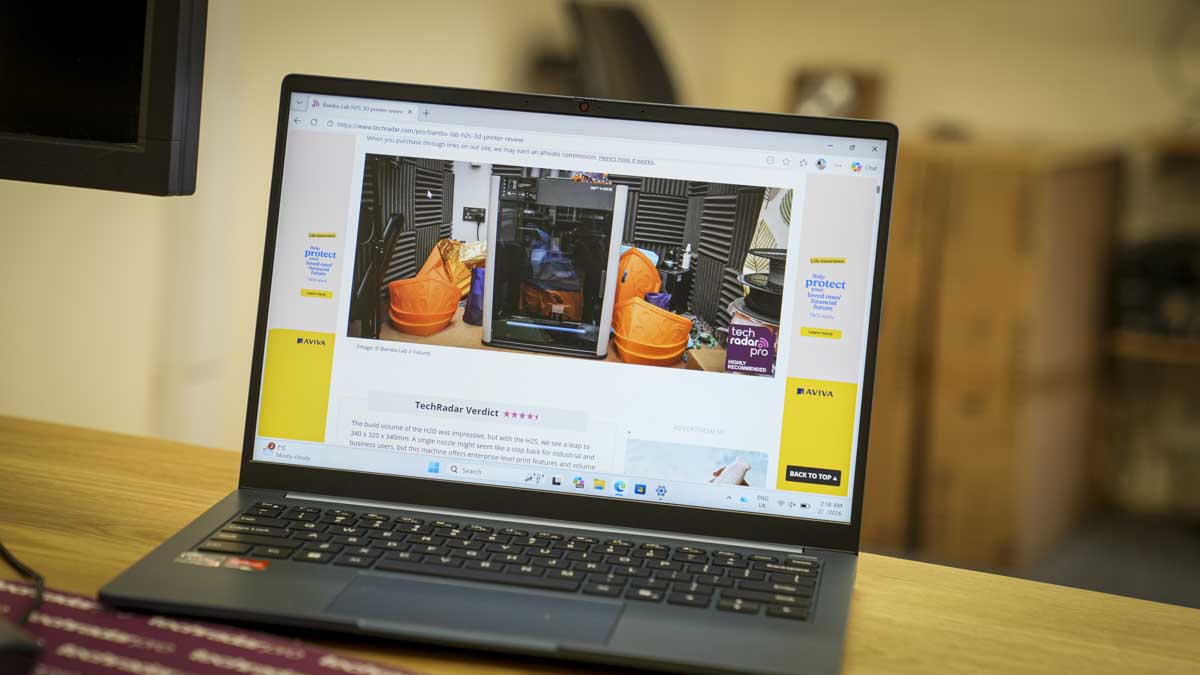
Opening up the laptop reveals the 14-inch Full HD screen with 1920 x 1200 resolution. It’s not the highest resolution we’ve seen in this style of laptop, but at this price, it’s all pretty decent and should suffice for day-to-day use. The screen itself is a 14-inch WUXGA display with a 16:10 aspect ratio that offers 315 nits of brightness. In brighter conditions, you might need to shade it a little bit. However, the surface of the screen seems to be of exceptional quality and helps reduce reflections and glare.
Complementing the visuals are dual custom box-tuned speakers that help provide audio—a step up from many speaker systems found on mid-range laptops.
Inside, powering Windows and other applications is an AMD Ryzen 5 processor with 6 cores, 12 threads, and up to 4.5GHz. This is coupled with a Radeon 660M (RDNA2) integrated GPU, which should be more than enough for most mid-range games. It also includes 16GB of LPDDR5 RAM and 512GB of PCIe SSD storage.
Ensuring the laptop has enough power for everyday use, there’s a 55Wh battery, which, while not the largest capacity, will still provide plenty of power for a day’s work, and shouldn’t take too long to charge using the 65W USB-C PD charger, charging up to 60% in just 55 minutes.
- Features: 4 / 5
Chuwi CoreBook Air: Performance
Benchmark scoresCrystalDiskMark Read: 3064.43CrystalDiskMark Write: 1289.67Geekbench CPU Multi: 5389Geekbench CPU Single: 1397Geekbench GPU: 7734PCMark Overall: 5850Cinebench CPU Multi: 8634Cinebench CPU Single: 1429Fire Strike Overall: 4492Fire Strike Graphics: 4851Fire Strike Physics: 18743Fire Strike Combined: 1667Time Spy Overall: 1720Time Spy Graphics: 1528Time Spy CPU: 5985Wild Life Overall: 8748Steel Nomad Overall: 214Windows Experience Overall: N/A
Starting out with the Chuwi CoreBook Air is straightforward. Windows 11 Pro is pre-installed, so all you need to do is run through the last few steps to get up and running. When I did this, it took about 15 minutes, signing into Microsoft and Google accounts, and making sure the system was fully updated.
One thing I also had to do was ensure all the AMD graphics drivers had been installed. While the AMD application was pre-installed, the final driver software wasn’t, so that’s something to note if you plan to buy this laptop.
Without those AMD drivers installed, even with the software there, the performance is considerably restricted. But once all updates were done to both Windows 11 Pro and AMD, the uplift was instantly apparent. As I started to load Microsoft Word, PowerPoint, and Excel, all three applications loaded quickly. Opening documents and presentations, the machine handled them without much issue.
The only thing I’d note is that while Microsoft Word worked fantastically well, Excel and PowerPoint felt a little restricted on the display with that lower resolution. However, since the USB-C ports on the side are fully featured, you can always connect to a 4K display without too many issues, and that 4K resolution is easily supported by this machine.
Using Word to write this review, the speed of the machine was perfect for general work and productivity, and I was easily able to switching between Word, PowerPoint and Microsoft Edge. Later, while compiling a PowerPoint presentation for an evening lecture, I was able to gather multimedia content and design the presentation again the laptop was able to handle everything smoothly.
Taking a closer look at PowerPoint, while it’s very usable on the 1920 x 1200 resolution screen, I always prefer more screen space, especially when flicking between slides. Here, connecting to a 4K monitor did help with that process. Although even on the Full HD screen, PowerPoint was very usable, and if you were on a train putting together a presentation, the clarity and brightness of the screen would suffice.
One thing I did note about the screen, aside from the resolution, was screen brightness. Brightness is limited to 350 nits. During the UK winter months, when daylight is at a premium, this isn’t too much of an issue, as most of the time it’s quite dark, and 350 nits is probably more than enough. But on a bright day in the office, with sunlight streaming through the window, that brightness was starting to be challenged. If you are planning to use this outdoors or in well-lit environments, then 350 nits is around the minimum you’d want.
Otherwise, the screen is very good, perfect for productivity, although a little limited when it rolls over into creative applications.
Having experienced decent performance throughout all the Microsoft Office applications, I moved on to some creative tasks, first, loading Adobe Photoshop, which ran surprisingly smoothly. I opened up images from the Sony A7 IV for other reviews, cropping, resizing, and doing some basic image enhancement. Photoshop was more than capable of not only handling those high-resolution image files but also applying effects. Once again, the only drawback was that with a screen of this resolution, the available workspace felt a little limited.
Switching to an application that feels more at home on this screen size, I tried Lightroom, which worked incredibly well. Enhancements and adjustments were applied quickly, and although the screen resolution felt a little low, Lightroom Classic was more than sufficient. Even when it came to bulk exporting adjusted images, the machine had no issue handling the load.
I then moved on to some higher-demand applications, including Premiere Pro and DaVinci Resolve, to test 4K video. It became instantly apparent that this wasn’t going to be possible. While video was rendered on the timeline, as I dragged files across into the timeline in both applications, things began to slow down dramatically. I had to wait for the system to catch up, and the fans kicked in due to the increase in processing.
I retried the process, this time using 1080p footage downscaled in Adobe Media Encoder. Here, the footage was editable, and again I was impressed with the performance. while, the fans did kick in to help keep things cool, editing a relatively complex five-minute video was manageable. Switching to a less processor-intensive app like CapCut might be a good idea for light editing.
After modest results with video editing, I switched over to a little bit of gaming, loading Indiana Jones and the Great Circle. I had to reduce all settings right down to the lowest and even drop from Full HD to 720p. Still, the game was jittery and not a great experience, despite it technically being able to run.
I then tried Red Dead Redemption 2, and again saw similar issues with scaling and choppy graphics. So really, if you’re looking to play the latest games, while the Radeon 660M integrated GPU is quite good for multimedia creation, when it comes to gameplay of higher end games, it just doesn’t have the power.
- Performance: 4 / 5
Chuwi CoreBook Air: Final verdict
The Chuwi CoreBook Air proves itself as a very competent day-to-day machine for use in and out of the office. It’s a decent size, lightweight, strong and robust. While the keyboard and trackpad might not be premium, they are of decent quality, and for most users, typing on them will feel perfectly fine.
What’s impressive is the pure performance of the mid-range CPU and GPU combo. While they aren’t AI-enhanced for applications, they’re perfectly good for day-to-day use, as well as watching multimedia and browsing the internet, this small laptop is more than powerful enough.
I also really liked the volume of connectivity options. The Wi-Fi connection speed seemed exceptionally good and robust, especially when connected to the Netgear Nighthawk M7 for the majority of testing. With three USB-C ports, two fully featured and one for data only, you have plenty of connection options, and that important flexibility of being able to charge the laptop with almost any modern charger.
While the 55Wh battery might not be the largest, it was more than sufficient for a good day’s light work, handling spreadsheets, Word, and PowerPoint. But as soon as you start pushing the processor, battery life drops rapidly. It’s good to see that you can get a 60% charge from a flat in just over an hour.
What really strikes me about the CoreBook Air is the price. You’re effectively getting a powerful laptop for everyday use for not a great deal of money. Okay, the screen resolution might be a little low, and the brightness a little dim compared with some, but when it comes to the strength of the build quality and the abilities of that mid-range CPU and GPU combo, for most people and most workloads, this laptop will be more than sufficient.
Should I buy the Chuwi CoreBook Air?
Swipe to scroll horizontallyValue
Excellent value for money considering the performance you can get from this mid-range laptop
4
Design
Good, strong build quality with the aluminium casing giving it a premium feel at a mid-range price
4
Features
Well-balanced set of features that aren’t groundbreaking but provide you with a good workhorse of a machine
4
Performance
Real performance is good for productivity. OK for creative applications. Best to look elsewhere if you want to do gaming
4
Overall
Overall, a well-balanced machine that’s great for most office work, light creativity and gaming
4
Buy it if...
You want on-the-go productivityThis ideal if you need a lightweight machine that handles office, browsing, and creative tasks smoothly in a travel-friendly size.
You want good general performance on a budgetThe CoreBook Air delivers decent all-around performance and the ability to go slightly beyond simple productivity applications without spending a fortune.
Don't buy it if...
You want upgradabilityWith the RAM soldered in place, there’s no option to upgrade, which could limit compatibility with future applications.
You need top-tier media tools.This laptop includes everything from speakers to a webcam and a relatively decent GPU, but if you're a content creator, they’re just not at the level required.
For more powerful productivity machines, we've reviewed the best mobile workstations.
Chuwi CoreBook Air: Price Comparison
 No price informationCheck Amazon SingaporeWe check over 250 million products every day for the best pricespowered by
  Alastair Jennings
Alastair is a photographer, filmmaker and tech writer who has been working in the publishing industry since the late 1990s. For more than 25 years he has covered photography, video and technology across Future's photography, technology and gaming brands. He runs a photography and video production company and lectures in TV and film. He can usually be found testing mini PCs or prototyping and prop building with the aid of 3D printing.
View MoreYou must confirm your public display name before commenting
Please logout and then login again, you will then be prompted to enter your display name.
Logout Back To Top Read more Chuwi CoreBook X 7430U laptop review
 Geekom GeekBook X14 Pro laptop review
 Alldocube IWork GT Ultra review
 Acer TravelMate P6 14 AI laptop review
 Geekom AX8 Max mini PC review
 Hands on: HP EliteBook X G2i
Latest in Computing
Hands on: HP EliteBook X G2i
Latest in Computing
 No, the Nvidia RTX 5090 Ti GPU isn't coming out this year — here's why
 Ever heard of 'quishing'? NordVPN warns the future of scams lies in QR codes – and shares some tips on how to stay safe
 The RAM crisis is so bad this new gaming handheld costs more than an RTX 5090
 Quordle hints and answers for Tuesday, February 10 (game #1478)
 NYT Strands hints and answers for Tuesday, February 10 (game #709)
Quordle hints and answers for Monday, February 9 (game #1477)
Latest in Reviews
NYT Strands hints and answers for Tuesday, February 10 (game #709)
Quordle hints and answers for Monday, February 9 (game #1477)
Latest in Reviews
 LG UltraFine 6K Evo 32U990A monitor review
 I've tested dozens of robot vacuums, and this model has some of the best carpet cleaning I've ever seen
 Yakuza Kiwami 3 & Dark Ties review: the series' most divisive title, reborn
 Amazfit T-Rex 3 Pro review: Top marks in value for this Garmin challenger
 Chuwi CoreBook Air business laptop review
 Mewgenics review: chaotic, cursed, and cantankerous fun that I just can't put down
LATEST ARTICLES
Mewgenics review: chaotic, cursed, and cantankerous fun that I just can't put down
LATEST ARTICLES- 1'The drones can buzz off' — noisy FPV drones at the Winter Olympics are capturing stunning action, but dividing opinion
- 2The 'RePod Ultra' turns your 'forgotten' Apple Watch Ultra into an iPod, complete with scroll wheel — but the description makes some pretty outlandish points
- 3I tested out the LG UltraFine 6K Evo 32U990A - a 6K monster of a monitor with 21 million pixels but also a few flaws
- 4I tested the Dell Pro Max Tower T2 - a powerful desktop workstation for engineering and AI
- 5NYT Strands hints and answers for Tuesday, February 10 (game #709)