
- Computing
- Internet
- Websites & Apps
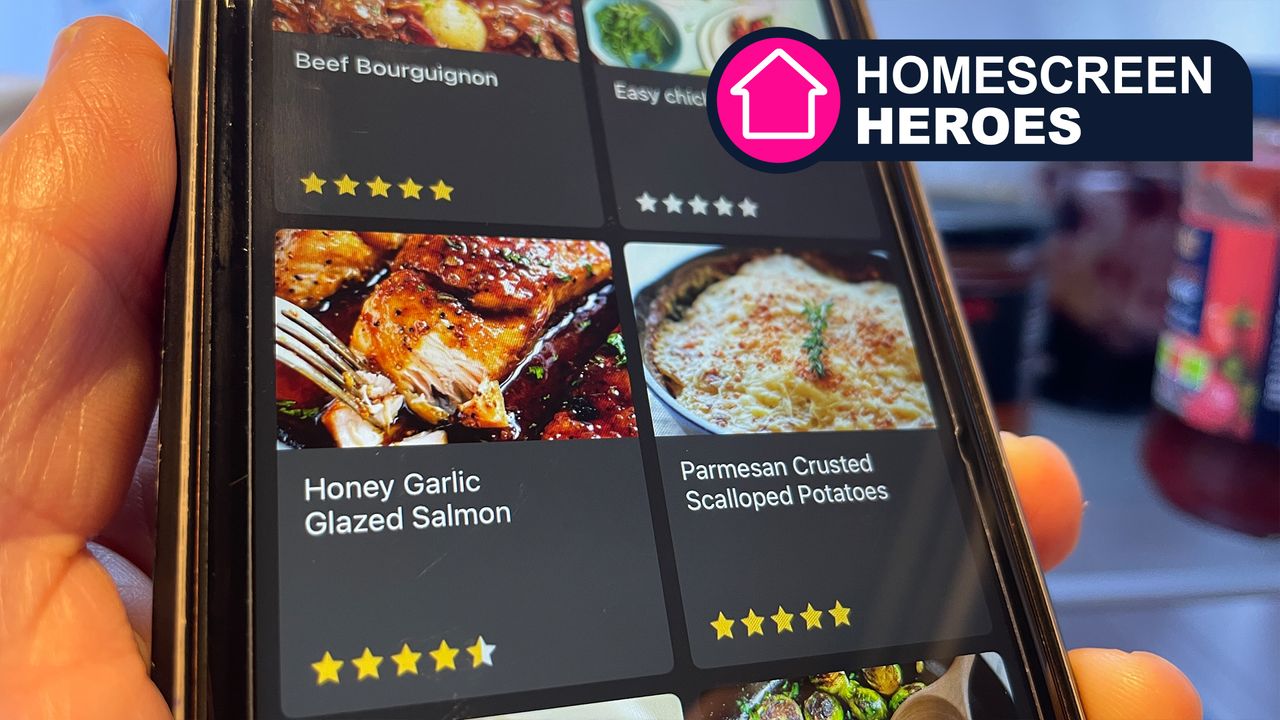
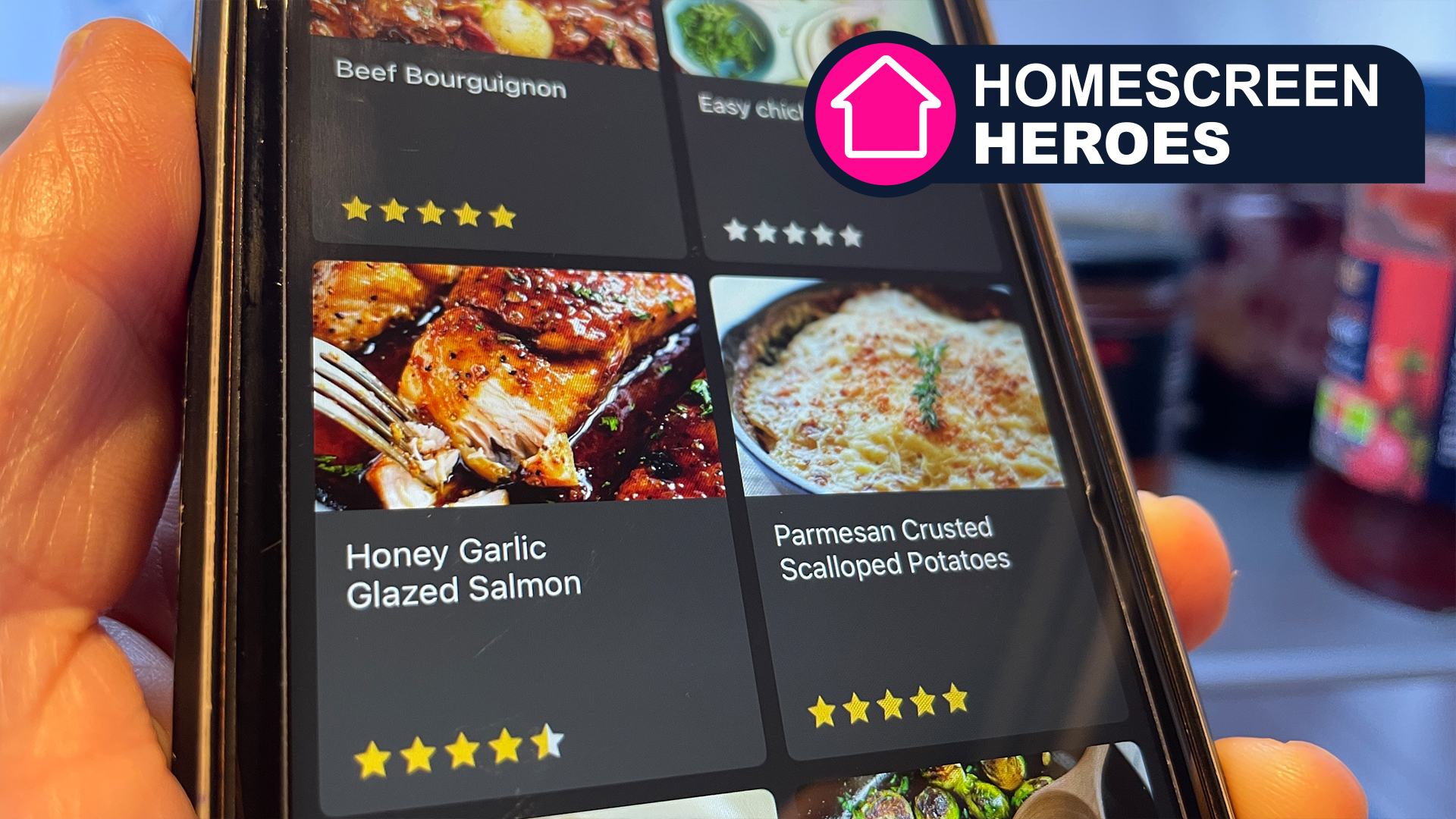
Homescreen Heroes: MealBoard has taken all the stress out of meal planning and grocery shopping
When you purchase through links on our site, we may earn an affiliate commission. Here’s how it works.
 (Image credit: Future / Paul Hatton)
- Copy link
- X
- Threads
Sign up for breaking news, reviews, opinion, top tech deals, and more.
Contact me with news and offers from other Future brands Receive email from us on behalf of our trusted partners or sponsors By submitting your information you agree to the Terms & Conditions and Privacy Policy and are aged 16 or over.You are now subscribed
Your newsletter sign-up was successful
An account already exists for this email address, please log in. Subscribe to our newsletterIt was only a few months ago, in September 2025, that I discovered the BigOven app. With over 1 million recipes, the app quickly became my go-to destination for finding new dishes to cook. I could mention the Caprese Mac and Cheese or the Sesame Pork Tenderloin, but if I dwell on them for too long, then I’ll be in serious danger of salivating in front of other coffee shop frequenters.
BigOven is a fantastic app for inspiration and basic grocery list creation, but its meal planning and shopping tools pale in comparison to the MealBoard app that I’ve recently discovered. It’s also significantly more affordable, which is a big win in my books, especially considering the number of apps that I like to use.
MealBoard claims to be your all-in-one kitchen app where you can save recipes, plan meals, and create shopping lists. One user has described it as "Hands down the most useful app I have on my phone. I use it every week to meal plan and grocery shop. It is incredibly well-designed, and I would have paid 10x the price to use it.”
You may like-
 How I used ChatGPT to eat healthier and lose my belly fat
-
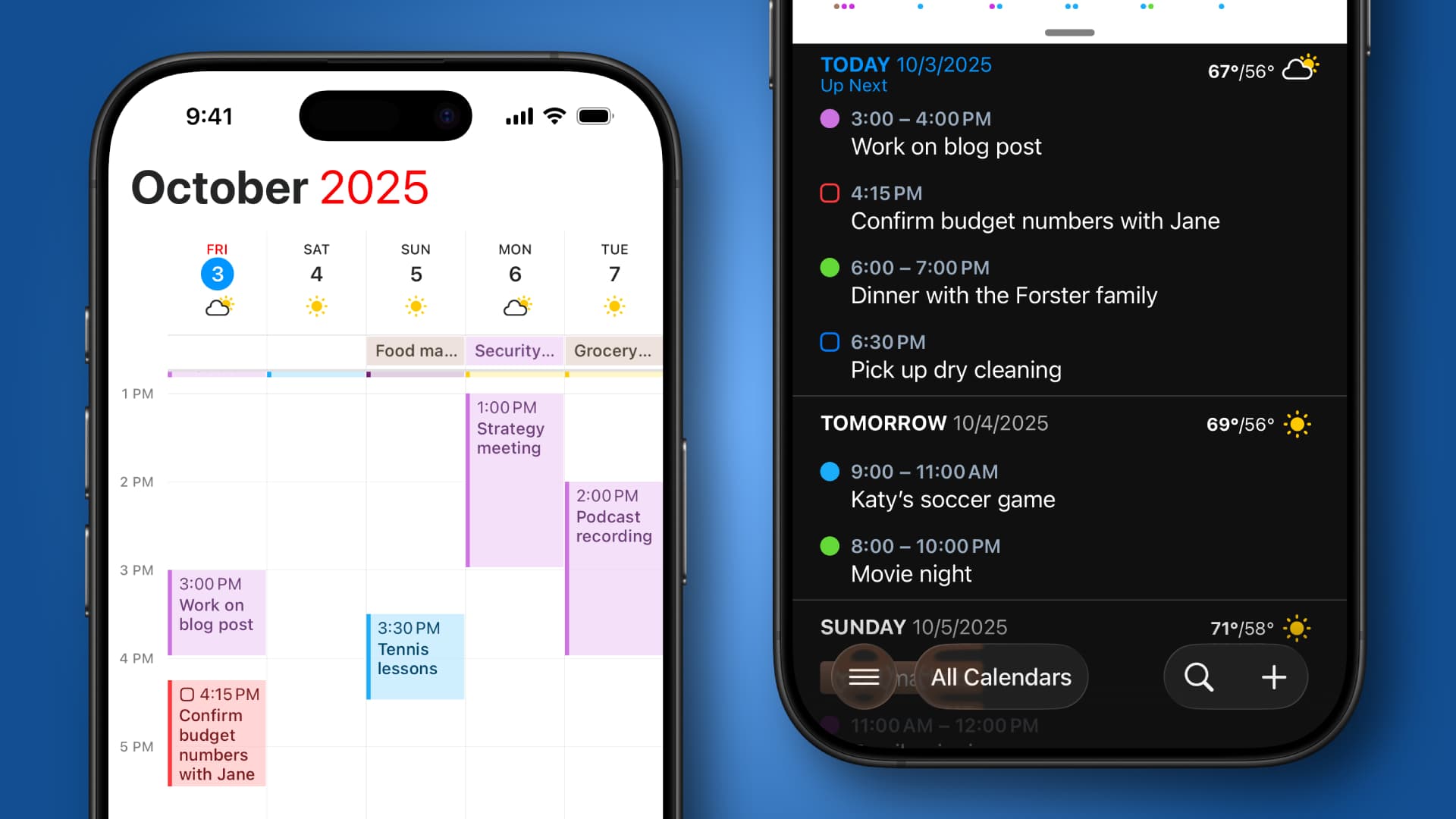
 This cross-platform app solved my schedule woes on all my devices
-
 I write for a living and this is the only Mac and iOS app I’ll use in 2026
This is part of a regular series of articles exploring the apps that we couldn't live without. Read them all here.
I’ve only been using the app for a short while, but I can already see how beneficial it could be for my family and me. We love food and sit down together every night for family mealtime. We also do our best to eat a varied diet and try to plan accordingly, but we could always do with a little extra help, and I think I’ve found that with MealBoard.
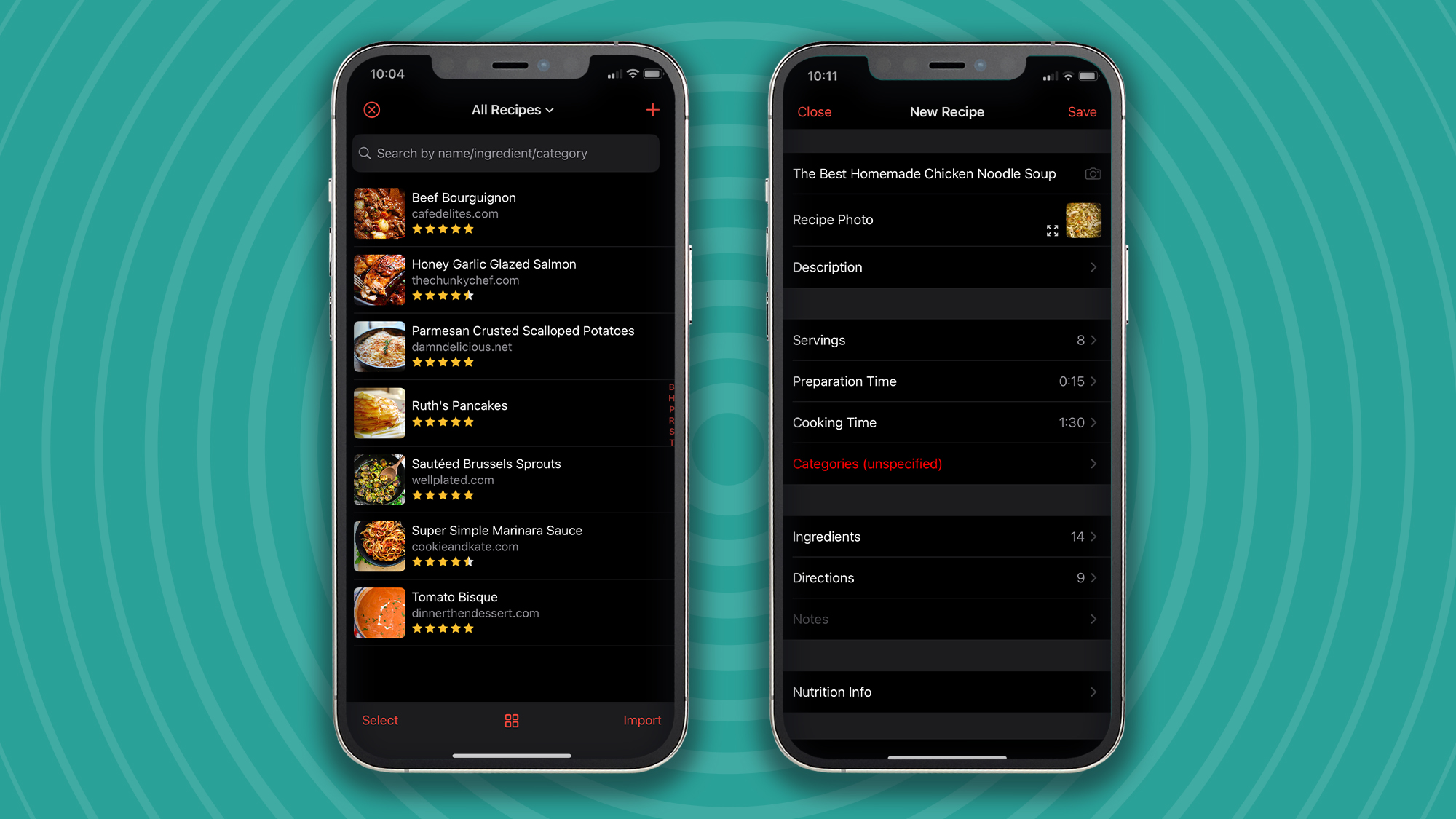
It all begins with the recipes!
MealBoard only ships with seven recipes, which means the onus is on the user to add their own. Thankfully, this is super straightforward with two available options. The first is to add them manually by entering a range of information, including the name, description, ingredients, and, of course, the directions. This is ideal for those recipes that you know and love or that have been passed down from generation to generation.
The second option is to import from a webpage, which is by far the quickest and easiest. All you have to do is click ‘Import,’ find a recipe using the search functionality, and then click ‘Import Recipe.’ MealBoard extracts all the relevant information from the page and populates all the relevant new recipe fields. You are then free to make adjustments before saving it to your library.
Having figured out the above, I proceeded to add some popular meals that we love. That meant finding our favorite chicken fajitas recipe, the delicious spaghetti bolognese, and around a dozen other meals that we currently have in circulation. Adding all these took no more than ten minutes, and with it done, I was then ready to plan my meals.
Get daily insight, inspiration and deals in your inboxContact me with news and offers from other Future brandsReceive email from us on behalf of our trusted partners or sponsorsBy submitting your information you agree to the Terms & Conditions and Privacy Policy and are aged 16 or over.
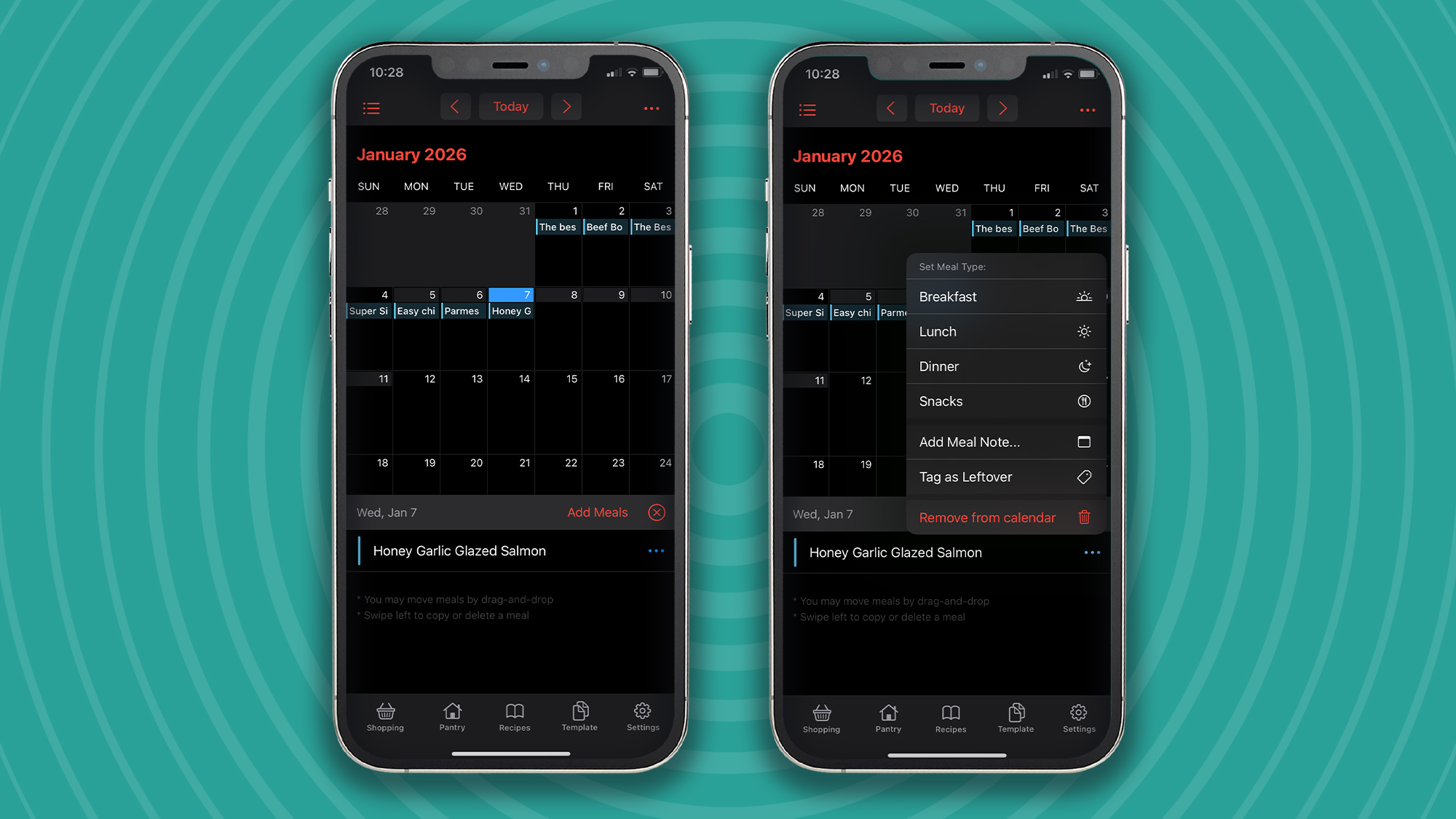
Plan meals like a pro
MealBoard features a simple calendar interface for quickly adding meals that are already contained in your recipe library. All you have to do is select the date you want to add a meal, click ‘Add Meals,’ search for the desired recipe, and then add it. My only gripe with this part of the process is that you have to search for recipes rather than being presented with all your options in a list format.
After you’ve added a meal, you can then set whether it should be breakfast, lunch, dinner, or a snack. You can also add a specific meal note, such as “Bert isn’t home for dinner today” or “cook extra because the kids have friends over.”
And if you fancy moving meals around, then that’s as simple as dragging them around the calendar. This was my preferred option when I was meal planning for the coming week because it was significantly quicker than adding them from scratch again.
You may like-
How I used ChatGPT to eat healthier and lose my belly fat
-
This cross-platform app solved my schedule woes on all my devices
-
I write for a living and this is the only Mac and iOS app I’ll use in 2026
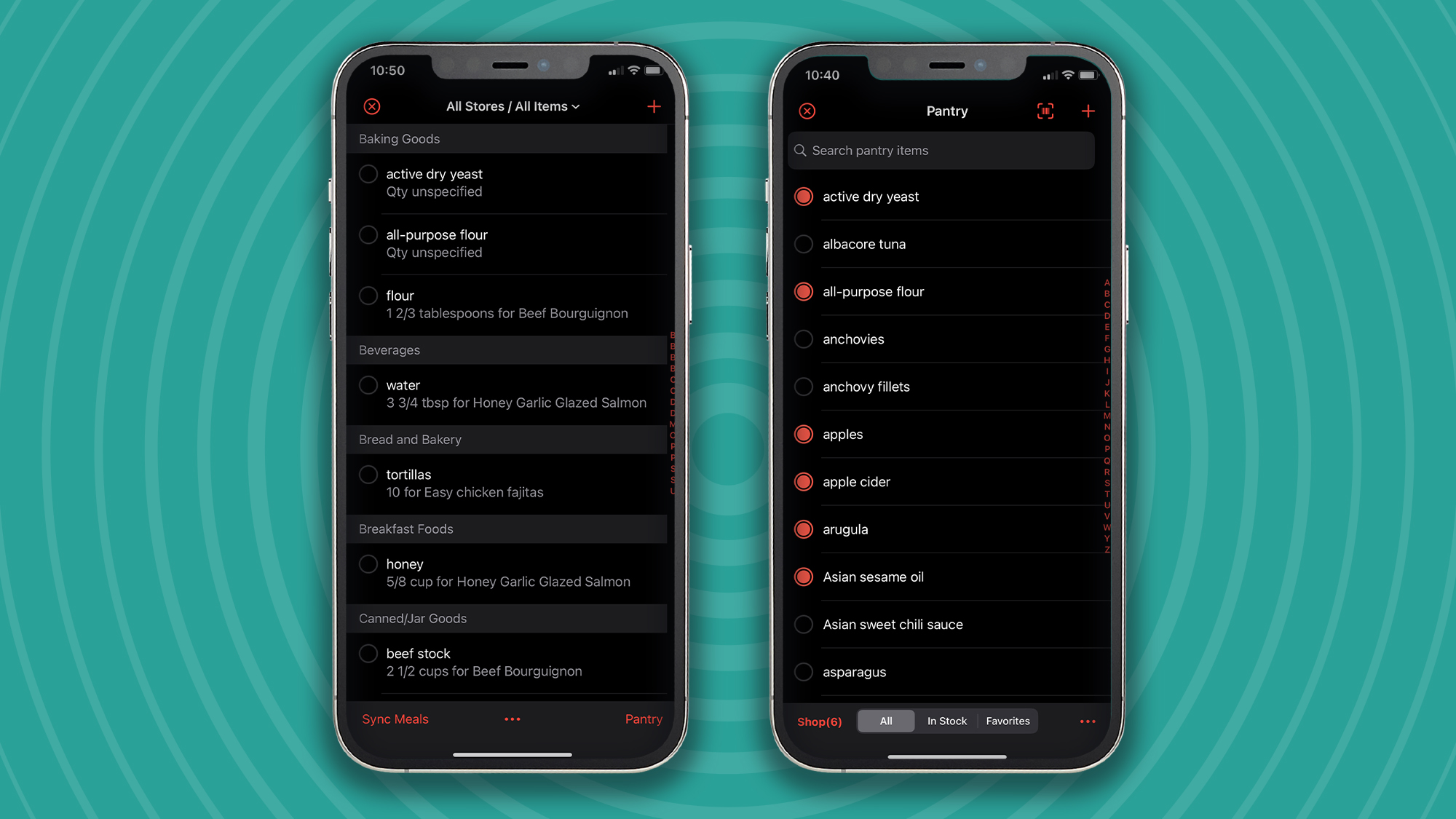
Mastering your shopping and pantry
Now it’s time for the magic to begin. Populating your shopping list is as simple as heading to the ‘Shopping’ tab, setting the date range for syncing meals, entering the number of servings, and hitting ‘Sync.’ Boom, job done. You instantly get a full shopping list split into different categories such as canned, dairy, meat, and more. It’s then time to head to the shop.
You can thank MealBoard for the (hopefully) stress-free shopping experience that it enables, but the benefits don’t end there. By utilizing the pantry feature, you can keep track of items that you have in the house. And as you cook meals, you can easily adjust the items left in stock.
MealBoard has been a breath of fresh air, and I would recommend it to anyone. The free version is fairly feature-rich, but if you’d like to remove all limitations, then you’ll need to pay $12.99/£12.99 for MealBoard Premium. For the money, you’ll get an unlimited number of recipes, cloud backup, and syncing across multiple devices.
So, if you like the idea of simplifying everything to do with the meals you eat, why not download MealBoard on iOS.
(At the time of writing this, there is no Android version)
Follow TechRadar on Google News and add us as a preferred source to get our expert news, reviews, and opinion in your feeds. Make sure to click the Follow button!
And of course you can also follow TechRadar on TikTok for news, reviews, unboxings in video form, and get regular updates from us on WhatsApp too.
 Paul HattonSocial Links NavigationFreelance writer
Paul is a digital expert. In the 20 years since he graduated with a first-class honours degree in Computer Science, Paul has been actively involved in a variety of different tech and creative industries that make him the go-to guy for reviews, opinion pieces, and featured articles. With a particular love of all things visual, including photography, videography, and 3D visualisation Paul is never far from a camera or other piece of tech that gets his creative juices going. You'll also find his writing in other places, including Creative Bloq, Digital Camera World, and 3D World Magazine.
View MoreYou must confirm your public display name before commenting
Please logout and then login again, you will then be prompted to enter your display name.
Logout Read more How I used ChatGPT to eat healthier and lose my belly fat
 This cross-platform app solved my schedule woes on all my devices
 I write for a living and this is the only Mac and iOS app I’ll use in 2026
 I'm a phones expert and these are my 5 must-have apps for iPhone and Android
 Best todo list app of 2026
 This is the one meditation app I’m using to continue my hot streak in 2026
Latest in Websites & Apps
This is the one meditation app I’m using to continue my hot streak in 2026
Latest in Websites & Apps
 Quordle hints and answers for Monday, February 9 (game #1477)
 NYT Strands hints and answers for Monday, February 9 (game #708)
NYT Strands hints and answers for Sunday, February 8 (game #707)
Quordle hints and answers for Sunday, February 8 (game #1476)
NYT Strands hints and answers for Saturday, February 7 (game #706)
Quordle hints and answers for Saturday, February 7 (game #1475)
Latest in Features
NYT Strands hints and answers for Monday, February 9 (game #708)
NYT Strands hints and answers for Sunday, February 8 (game #707)
Quordle hints and answers for Sunday, February 8 (game #1476)
NYT Strands hints and answers for Saturday, February 7 (game #706)
Quordle hints and answers for Saturday, February 7 (game #1475)
Latest in Features
 "The height of nonsense": Oracle co-founder Larry Ellison’s 1987 argument that not everything should be AI makes perfect sense in 2026
 Seeing BAFTA-winning game music live was an experience I think any gaming fan would love
 Here are my 4 top TVs that should be getting a big discount soon
 'With RPGs, it's all about offering players things that they only get to experience in the game' — Sea of Remnants creative director outlines vision behind upcoming free-to-play pirate epic
 I ditched Windows 11 for Windows XP for a week – here’s what happened
 MagSafe and more: how likely are these iPhone 17e rumors?
LATEST ARTICLES
MagSafe and more: how likely are these iPhone 17e rumors?
LATEST ARTICLES- 1Here are 3 ways to spot AI-generated music in Spotify, and where you can report it
- 2Super Bowl 2026 LIVE: how to watch Patriots vs Seahawks online for free, halftime show, odds, live updates
- 3Get ready for out of this world selfies - NASA says astronauts can now take their own phones with them to space
- 4Razer won’t make the gaming chair of my dreams a reality — but the DXRacer Martian Pro proves it should
- 5'Moflin had a really warm and fuzzy moment' – a week with the robot pet that wriggled and squeaked its way into my heart